Token Transfer Keygenerator
Introduction
Using this method, only transfer is possible between accounts that are generated in the same manner and that are yours. Please find the keygen tooling for it below.
Prerequisites
Keypair
- ed25519 keypair
- Go installed on your local computer
Create a keypair with the following tool: https://github.com/threefoldtecharchive/tfchain_tft_bridge/tree/main/tfchain_bridge/tools/keygen
go build .
./keygen
Stellar to TFChain
Create a Stellar wallet from the key that you generated. Transfer the TFT from your wallet to the bridge address. A deposit fee of 1 TFT will be taken, so make sure you send a larger amount as 1 TFT.
Bridge addresses :
- On Mainnet:
GBNOTAYUMXVO5QDYWYO2SOCOYIJ3XFIP65GKOQN7H65ZZSO6BK4SLWSCon Stellar Mainnet. - On testnet:
GA2CWNBUHX7NZ3B5GR4I23FMU7VY5RPA77IUJTIXTTTGKYSKDSV6LUA4on Stellar MAINnet
The amount deposited on TF Chain minus 1 TFT will be transferred over the bridge to the TFChain account.
Effect will be the following :
- Transferred TFTs from Stellar will be sent to a Stellar vault account representing all tokens on TFChain
- TFTs will be minted on the TFChain for the transferred amount
Alternative Transfer to TF Chain
We also enabled deposits to TF Grid objects. Following objects can be deposited to:
- Twin
- Farm
- Node
- Entity
To deposit to any of these objects, a memo text in format object_objectID must be passed on the deposit to the bridge wallet. Example: twin_1.
To deposit to a TF Grid object, this object must exists. If the object is not found on chain, a refund is issued.
TFChain to Stellar
Create a TFChain account from the key that you generated. (TF Chain raw seed). Browse to :
- For mainnet: https://polkadot.js.org/apps/?rpc=wss%3A%2F%2Ftfchain.grid.tf#/accounts
- For testnet: https://polkadot.js.org/apps/?rpc=wss%3A%2F%2Ftfchain.test.grid.tf#/accounts
- For Devnet: https://polkadot.js.org/apps/?rpc=wss%3A%2F%2Ftfchain.dev.grid.tf#/accounts
-> Add Account -> Click on mnemonic and select Raw Seed -> Paste raw TF Chain seed.
Select Advanced creation options -> Change keypair crypto type to Edwards (ed25519). Click I have saved my mnemonic seed safely and proceed.
Choose a name and password and proceed.
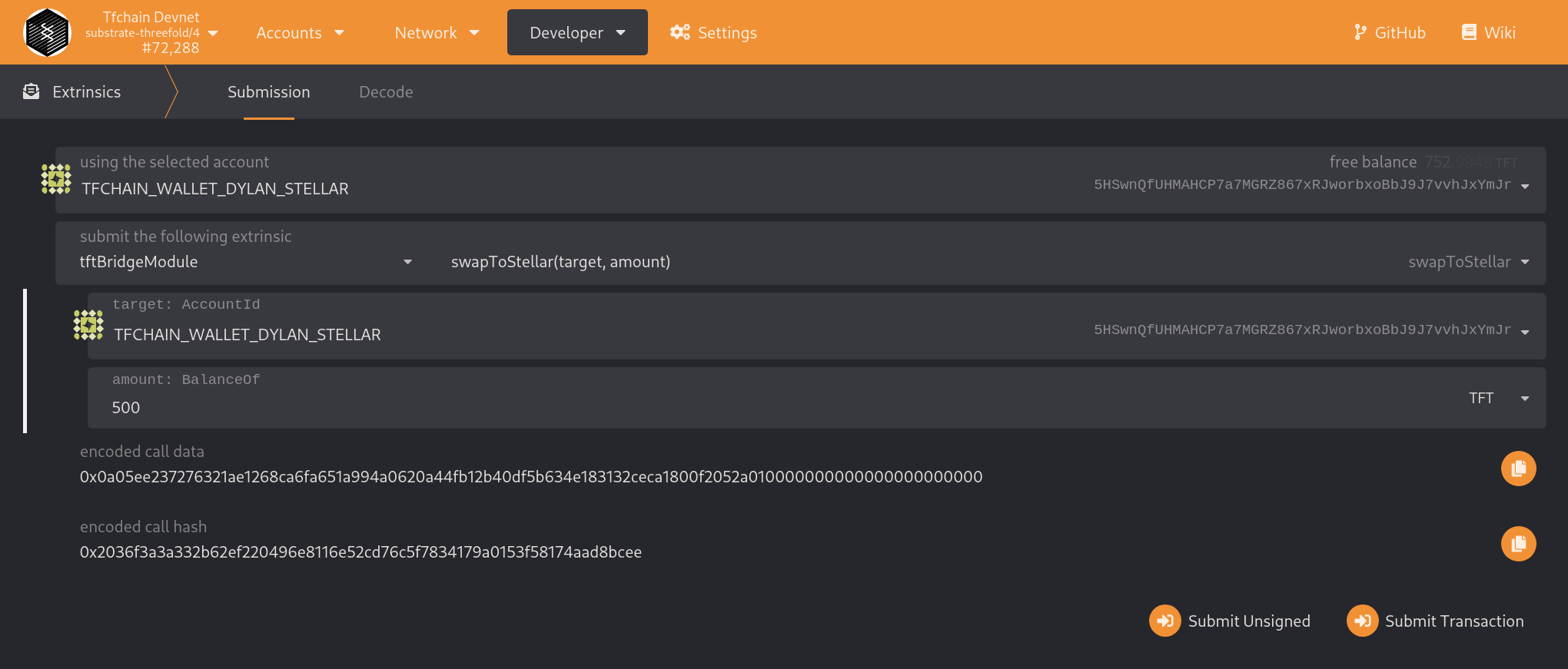
Browse to the extrinsics , select tftBridgeModule and extrinsic: swap_to_stellar. Provide your Bridge substrate address and the amount to transfer. Sign using your password.
Again, a withdrawfee of 1 TFT will be taken, so make sure you send an amount larger than 1 TFT.
The amount withdrawn from TFChain will be sent to your Stellar wallet.
Behind the scenes, following will happen:
- Transferred TFTs from Stellar will be sent from the Stellar vault account to the user's Stellar account
- TFTs will be burned on the TFChain for the transferred amount
Example: