Domains
Introduction
The Domains solution allows users to securely expose servers hosted on local machines or VMs to the public internet. Users are required to specify the machine's IP, which can be a Mycelium IP, an Yggdrasil IP, or a public IP (IPv4 or IPv6).
Prerequisites
- Make sure you have a wallet
- From the sidebar click on Applications
- Click on Domains
Deployment
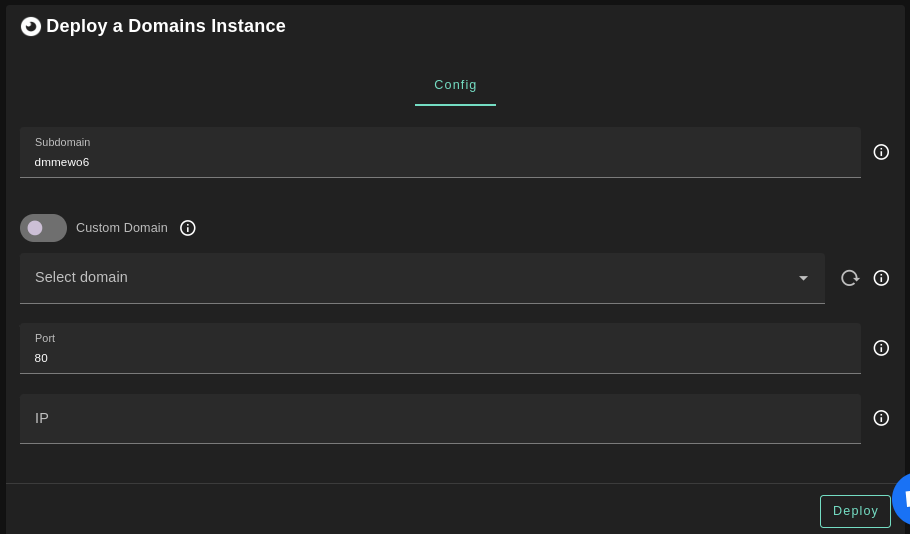
- Enter a subdomain to be added to your domain
- The
Custom Domainflag allows the user to use a custom domain - Choose a gateway node to deploy your static website
- Enter the port used to access the machine
- Enter the machine's IP
- It can be a Mycelium IP, an Yggdrasil IP, or a public IP (IPv4 or IPv6)
Once this is done, you can see a list of all of your deployed instances:
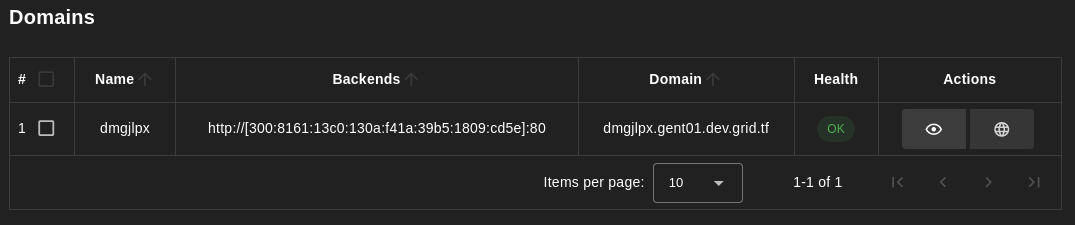
Click on the button Visit under Actions to go to your exposed website!